
Peak Forms · Brand & templates
Every form looks like you,
whoever builds it.
Store your brand once in Peak One and apply it to any form with one click. You pass on proven question structures as templates, without sending responses or internal rules along.
What should your form clarify?
Points for fit, need, urgency and decision
A shared template library for the whole team is planned.

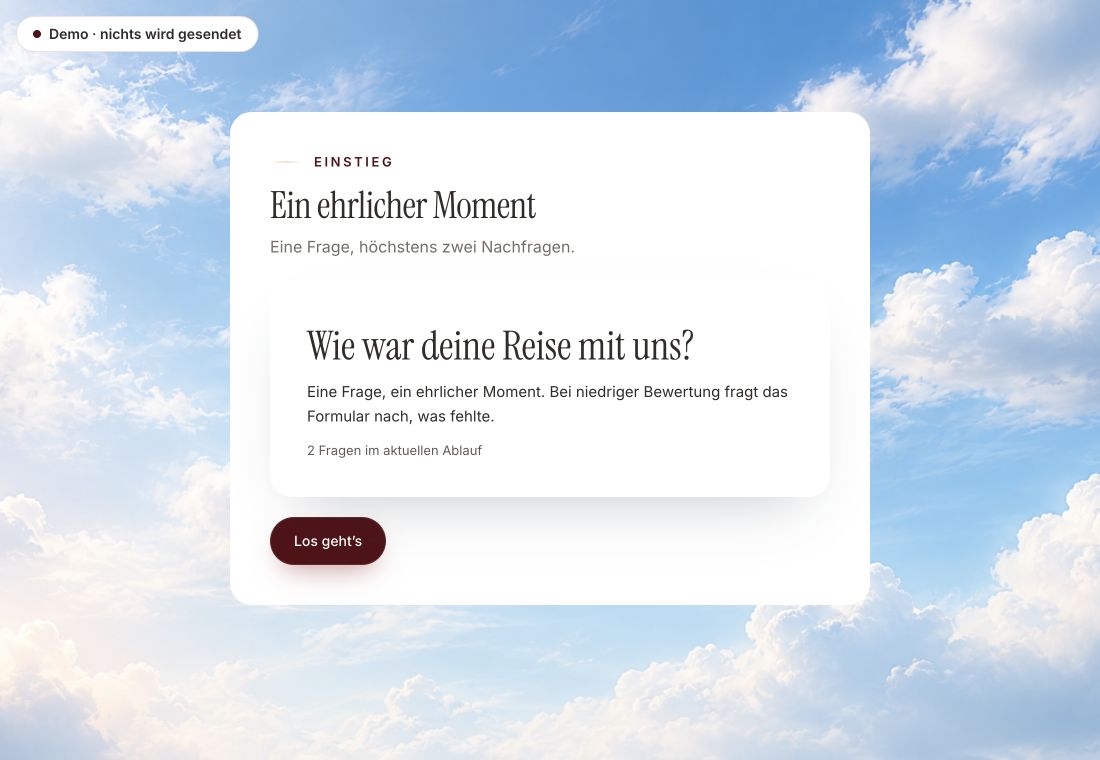
- Original product player
- Try without an account
- No answer saved
01 / Experience the product
Don't just look. Answer yourself.
The customer voice runs in the real Peak Forms player. A low rating opens an additional follow-up.
Original capture · 26 October 2026 · Product demo No saving, no workspace, no activation.
How to start
Three steps to one consistent brand.
A fictional agency keeps its brand in one place. When it changes the logo, every form shows “Update available”, and the new brand goes live with the next publication.
- 01 / What it looks like
Store your brand
Set up your brand in Peak One under settings: logo, colours, fonts.
Brand in the form “Customer survey”Source: Central brand in Peak OneApplied: Logo, colours and fontsStatus: Update available, live from the next version - 02 / What you get
Apply it to the form
Open “Use your brand” in the editor and apply it. You can keep adjusting it for this form.
Maintain once, use everywhere.Central brandNo break in a live formPass on structures - 03 / Brand & templates
Pass on what works
Release the question structure of a successful form as a template and share the link with your team.
One agency team, one brand, many forms.Brand panel in the Peak Forms editor



Trust needs clarity
Clear about what happens here.

Scope of this preview
- 01Limits
- A shared template library for the whole organisation and several brand kits per workspace are planned but not live. Today you pass templates on by link, and a template can only be released from a form with a real, useful response.
- 02Brand in the form “Customer survey”
- Example with fictional content. A form's own card and box colours are kept when applying the brand.
- 03A safe demo
- Test answers stay in the demo. They are neither saved nor taken into your workspace.
The next step
Your brand, in every form.
Store it once and apply it to your next form.
Start free in Peak FormsA shared template library for the whole team is planned.
Frequently asked questions
Does a new brand change my live forms immediately?
No. The live form keeps the brand of the published version. The new one appears with your next publication.
What is inside a shared template?
Title, intro, pages and questions with answer options, plus approved images. No responses, no rules and points, no contact mapping, no brand.
Where do I find ready-made templates from Peak Forms?
In the Peak Forms template gallery. You can try and use every template there.