
Peak Forms · Quality check
Find mistakes before
your customers do.
With every change Peak Forms checks your form, and once more on the server before publishing. Every finding names the question or result it is about.
What should your form clarify?
Points for fit, need, urgency and decision
The check is rule-based. It invents nothing and changes nothing without you.

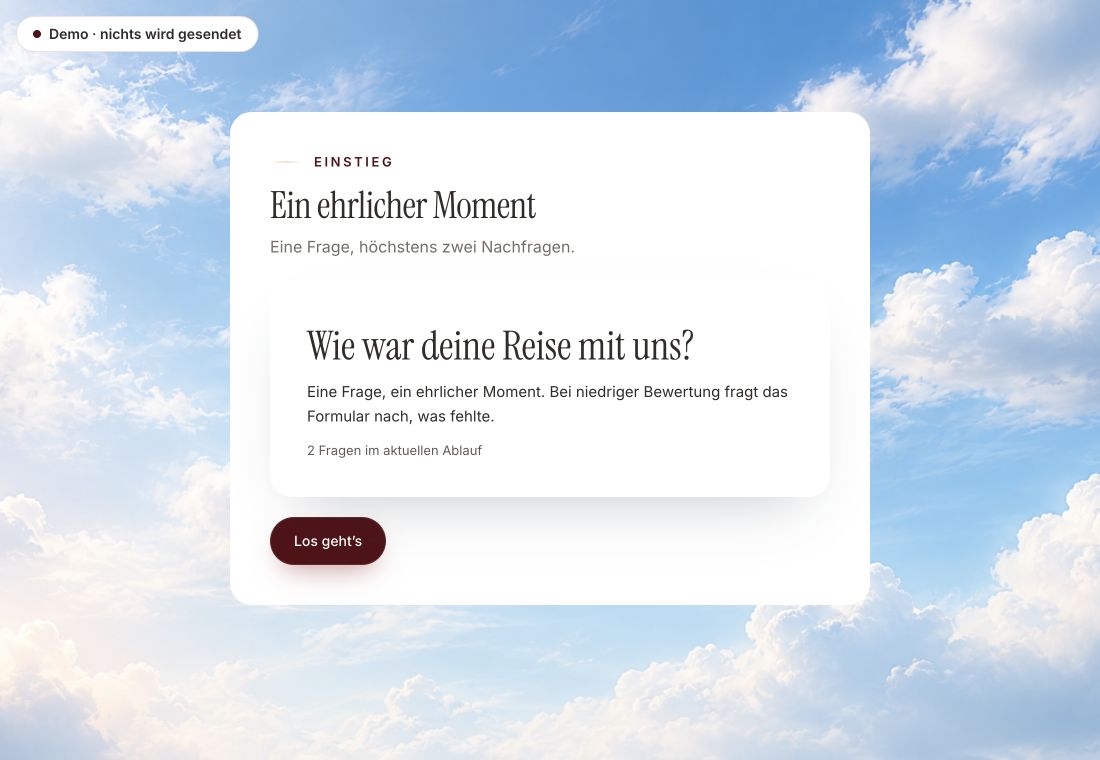
- Original product player
- Try without an account
- No answer saved
01 / Experience the product
Don't just look. Answer yourself.
The customer voice runs in the real Peak Forms player. A low rating opens an additional follow-up.
Original capture · 26 October 2026 · Product demo No saving, no workspace, no activation.
How to work with it
Build, check, publish.
Blockers prevent publishing, warnings and tips are recommendations. The check also shows the estimated completion time.
- 01 / Three kinds of findings
Build the form
The check runs with every change. You don't have to start it.
Quality check · Inquiry formBlocker · Results: A result for all other answers is missing.Warning · Privacy: You ask for personal data but don't say what for.Warning · Completion: 9 required questions. Make the unimportant ones optional. - 02 / What gets checked
Click a finding
Each finding jumps to the question or result it refers to.
Nine areas, one glance.Technology and logicPrivacyCompletion risk - 03 / Quality check
Publish without blockers
As soon as no blocker is left, you can publish. You decide on warnings yourself.
What blocks publishing and what only advises.Findings in the editor's wording



Trust needs clarity
Clear about what happens here.

Scope of this preview
- 01What the check is not
- The quality check follows fixed rules and doesn't rewrite questions for you. It is no legal advice: whether your privacy notice is legally sufficient is up to you to check.
- 02Quality check · Inquiry form
- The findings are paraphrased from the quality check. The form is fictional.
- 03A safe demo
- Test answers stay in the demo. They are neither saved nor taken into your workspace.
The next step
Publish with confidence.
Build your form and let the check run alongside.
Start free in Peak FormsThe check is rule-based. It invents nothing and changes nothing without you.
Frequently asked questions
Can I publish despite a warning?
Yes. Only blockers prevent publishing. Warnings and tips are recommendations.
Where does the estimated time come from?
Each field type has a guide value. The free form length calculator uses the same values.
Does the check cover accessibility too?
It checks clarity and the mobile view, but not a full accessibility audit.