
Peak Forms · Team
Build together without
overwriting each other.
Forms in a company workspace belong to the team. Whoever created them and whoever is owner or admin there edits and publishes. Every publication is a version you can return to.
What should your form clarify?
Points for fit, need, urgency and decision
Comments, approval before publishing and finer roles are planned.

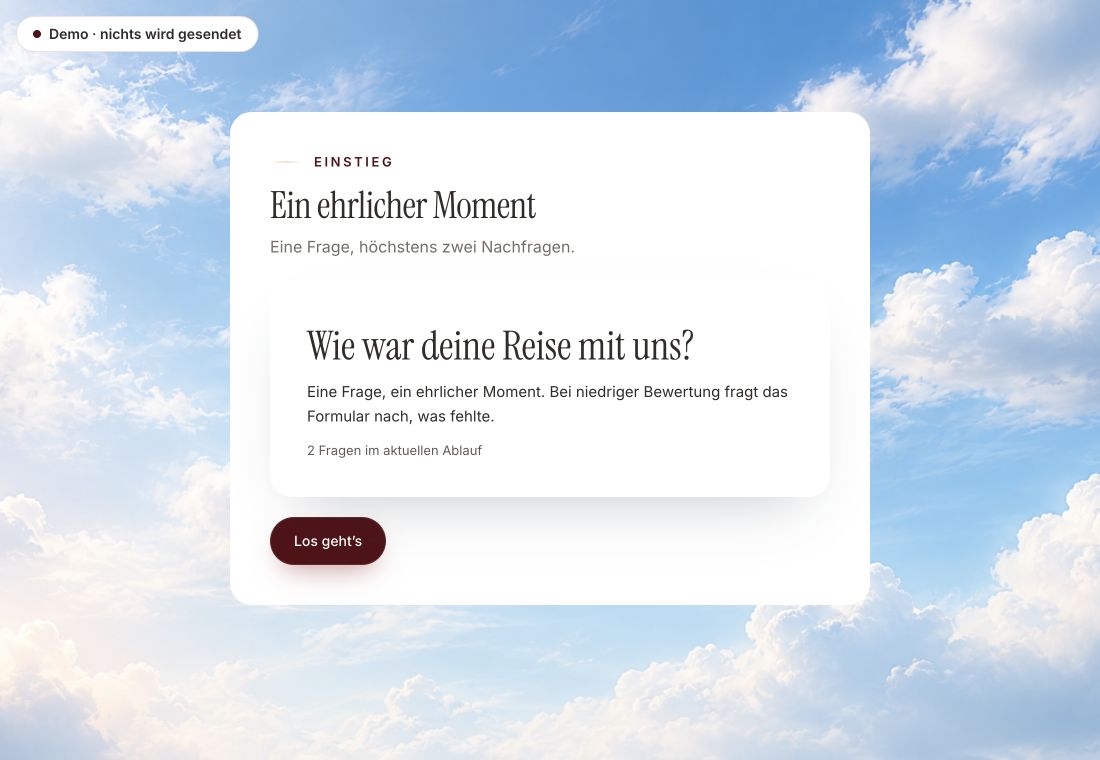
- Original product player
- Try without an account
- No answer saved
01 / Experience the product
Don't just look. Answer yourself.
The customer voice runs in the real Peak Forms player. A low rating opens an additional follow-up.
Original capture · 26 October 2026 · Product demo No saving, no workspace, no activation.
How to start
Your team in three steps.
A fictional agency works in its company workspace. One person builds, an admin checks in the preview, and only then does the version go live. For client approval it uses test mode today.
- 01 / How it works today
Use a company workspace
Create the form in your company's workspace, not in your personal one. Only there does your team see it.
Form “Project inquiry”, version 3Created by: Jonas, may do everything incl. deleteEdit & publish: Owners and admins of the companyEdited at the same time: Peak Forms reports the newer draft instead of overwriting it - 02 / What applies today
Assign roles
In Peak One, make the people who should edit forms admins. Members can be limited with an access profile.
Clear rights, safe versions.Who editsDeleting stays with one personNo silent overwriting - 03 / Working as a team
Publish with a note
When publishing, note briefly what changed. That way everyone knows which version is live.
An agency builds a form for its client.Rights in a company workspace



Trust needs clarity
Clear about what happens here.

Scope of this preview
- 01Limits
- Roles just for Peak Forms, comments, approval before publishing and real-time editing don't exist today. Clients without an account review a form through test mode or the preview, not in your editor. We don't promise certificates or single sign-on on this page.
- 02Form “Project inquiry”, version 3
- Example with fictional people. You manage workspace roles in Peak One under settings.
- 03A safe demo
- Test answers stay in the demo. They are neither saved nor taken into your workspace.
The next step
One form, one team, one truth.
Create your first form in the company workspace and publish it with a note.
Start free in Peak FormsComments, approval before publishing and finer roles are planned.
Status
Team features by status.
What is live you can use today. What is planned doesn't exist yet.
Rights
- Area perusahaan dengan pemilik dan adminAktif
Edit, publish, work on responses.
Connect di Peak One - Profil akses untuk anggotaAktif
Peak One can allow or block the forms area and export for members.
Connect di Peak One - Peran editor, analis, peninjau, pembacaNot live yet
Finer roles just for Peak Forms.
Use the webhook until then
Collaboration
- Versi dan pemulihanAktif
Every publication is kept.
Connect di Peak One - Mode ujiAktif
Fill in without creating real responses.
Connect di Peak One - Komentar di editorNot live yet
Feedback right on a question.
Use the webhook until then - Persetujuan sebelum diterbitkanNot live yet
A second person approves the version.
Use the webhook until then - Mengedit bersamaan secara real-timeNot live yet
Today Peak Forms protects against overwriting but shows no live cursors.
Use the webhook until then
Frequently asked questions
Does everyone in the team see every response?
Owners and admins see the responses of forms in the company workspace. For members, the forms area can be blocked with an access profile or limited to viewing without export.
What happens if two people save at the same time?
Whoever saves an outdated draft gets a notice instead of overwriting the newer one.
Can my client see the form before launch?
Yes, via test mode. Test responses land in their own folder and don't count as real responses.